
1Click DV to DVD
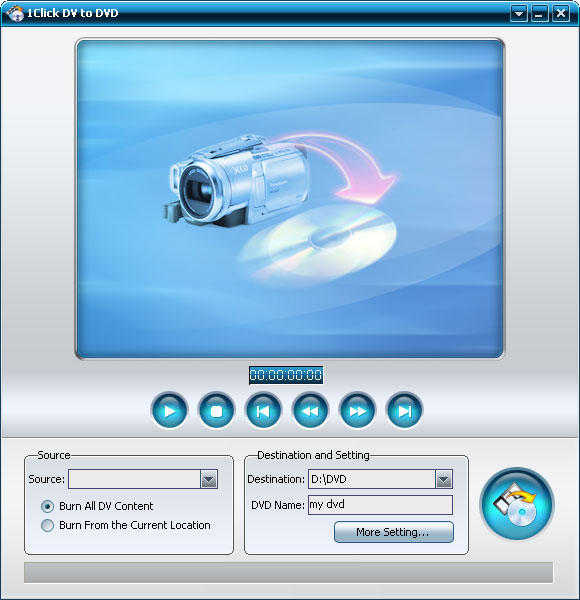
1Click DV to Home DVD can convert and transfer Mini DV to DVD, DV to DVD, DV to DVD-Video disc including DVD-R, DVD+R, DVD-RW, DVD+RW, etc. just with one click. Before burning, you can choose to burn all DV content, or burn a segment of Mini DV, DV.
The integrated 1Click DV to Home DVD converter also enables you to convert Mini DV to DVD, DV to computer and backup DV to Home DVD folder or ISO file. More professional settings like auto adding menu, title and chapter make your Home DVD creative and unique. With the Mini DV to Home DVD converter, you can share the DV videos with your family, friends and colleagues more conveniently.
- Burn DV to Home DVD disc
- Backup DV to Home DVD folder
- Backup DV to ISO file

Safe Download 100% Virus Free

Secure Online Payment

30 Days Money Back Guarantee

Free Customer Service


- Burn DV files to DVD video
Connect DV to your PC, and the left thing is only to click the "Start Burn" button. The Mini DV to DVD converter will help you accomplish everything. - Two DVD disc burn options
The comprehensive DV to DVD converter offers two options to burn DVD disc: burn all content in your Mini DV, DV, or burn some segments you chosen.

Backup DV file with high quality 
Backup your DV files to reserve the wonderful memory in another way
- Save DV file as DVD folder or ISO image
1Click DV to DVD helps you convert Mini DV to DVD folder or ISO file on your computer.


- Basic settings
Several interface languages and skins make your Mini DV to DVD converter different. Also, you can select the DV to DVD burning speed in order to gain the perfect effect. - Advanced settings
1Click DV to DVD provides professional parameters for you to customize, e.g. add DVD menu, titles and chapters, set the video aspect ratio, resize method, video format and video quality, etc.


| Input File Formats Supported | |
| DV, mini DV | |
| Output File Formats Supported | |
| DVD-Video, DVD folder, ISO image file |
| Support OS | Microsoft® Windows XP (SP2 or later) |
| Processor | 1GHz Intel/AMD processor or above |
| RAM | 256MB RAM (512MB or above recommended) |
| Free Hard Disk | 30MB space for installation |
| Graphic Card | Super VGA (800×600) resolution, 16-bit graphics card or higher |
| Others | Recordable DVD Drive |


