
Xilisoft iPhone Apps Transfer
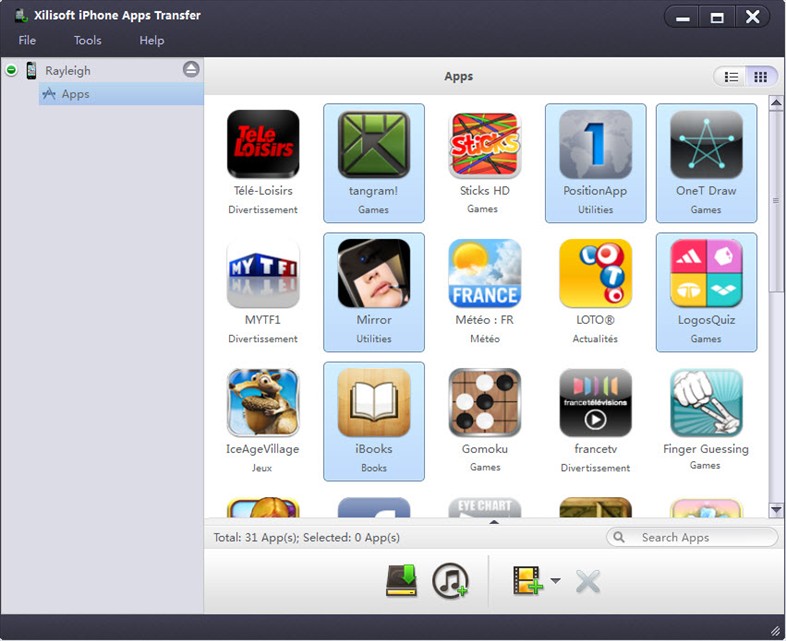
As a full featured apps transfer tool for your iPhone, Xilisoft iPhone Apps Transfer can meet all your needs for managing iPhone apps: copy and transfer iPhone apps to PC/iTunes, delete apps on your iPhone as well as move the apps back to iPhone or transfer to another iPhone.
Moreover, you can add/save/delete app documents on your iPhone directly with this smart software. And this app transfer tool for iPhone is quite simple to operate with drag-drop supported and app-located search box.
- Backup and transfer iPhone apps conveniently
- Add/save/delete iPhone app documents
- Search apps you want in one step
- Xilisoft iPhone apps transfer supports all iPhone models
- Transfer iPhone apps to PC, and copy the apps to another iPhone
- Fully support all iPhone/iPad/iPod, iOS 17, iOS 17 and iTunes 12

Customers Also Choose:

Xilisoft iPhone Magic Platinum
Complete solutions to transfer, backup and manage iPhone/iPad/iPod contents, convert videos and download online videos to iPhone/iPad/iPod.


- Transfer Apps from iPhone to PC or iTunes
Apps can be backed up to computer or iTunes in few clicks. Or you can transfer apps from PC to iPhone, or delete the app directly. - One Step to Search Apps
With Xilisoft iPhone Apps Transfer, it will be simple to locate any app you need. You only need to input any letter in the name of the app to locate it. - All Apps Show up automatically
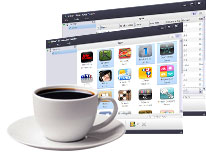
Once the iPhone is connected to your PC, all the iPhone apps will be showed up automatically.

- Add App Documents
Add the app documents from PC to iPhone in one step. - Save App Documents to PC
Copy the app documents to computer if you need to open the documents on PC or backup them. - Delete App Documents directly
Delete any app from your iPhone directly within this software. - Show App Documents Info
As long as you click an app, the documents will be showed up with Name, Modified time and Size.

- Batch Transfer
Transfer several apps in one time, you just need to choose them and then transfer. - All iPhone Models Supported
Support all iPhone models, such as iPhone 3GS, iPhone 4, CDMA iPhone 4, iPhone 4S, iPhone 5, iPhone 5s, iPhone 5c. - All iPad Models Supported
Support all iPad models, such as iPad Wi-Fi, iPad Wi-Fi+3G, iPad 16GB, iPad 32GB, iPad 64GB, iPad2, New iPad, iPad Air, iPad mini. - Multilingual Interface
English, German, French, Spanish, Italian, Simplified Chinese, Traditional Chinese and Japanese are available for the interface language.
| Output Devices Supported | |
iPad Wi-Fi, iPad Wi-Fi+3G, iPad 16GB, iPad 32GB, iPad 64GB, iPad2, New iPad, iPad Air, iPad mini, iPhone, iPhone 3G, iPhone 3GS, iPhone 4, CDMA iPhone 4, iPhone 4S, iPhone 5, iPhone 5s, iPhone 5c |
| OS | Microsoft® Windows 11 / 10 / 8 / 7 / Vista / XP (SP2 or later) |
| Processor | 1GHz Intel/AMD processor or above |
| RAM | 256MB RAM (512MB or above recommended) |
| Free Hard Disk | 50MB space for installation |
| Graphics Card | Super VGA (800×600) resolution, 16-bit graphics card or higher |
| Others | iTunes 9.1 or above |


