
Xilisoft ISO Burner

Smart and professional, Xilisoft ISO Burner makes it easy to burn ISO to CD, burn ISO to DVD, including data ISO, movie ISO, and bootable ISO image files to CD-R, CD-RW, DVD-R, DVD+R, DVD-RW, DVD+RW, DVD+R DL. The Home DVD ISO burner can also burn image files of all other formats, such as BIN/CUE, IMG, MDF, NRG, CDI, B5i, B6i, and DMG.
Xilisoft ISO Burner provides the highest speed to burn ISO files to CD, burn ISO to DVD, and 1-2-3 simple ISO burning steps to most save your time and energy. Moreover, the ISO burn software can check input disc and prompt to erase the content, allow you to burn multiple copies and check burning log file info. Start easy-to-control and fast ISO burning now.
- Burn data/movie/bootable ISO image files to CD/DVD
- Burn BIN/CUE, IMG, MDF, NRG, CDI, B5i, B6i, and DMG to CD/DVD
- Burn ISO to CD-R, CD-RW, DVD-R, DVD+R, DVD-RW, DVD+RW, DVD+R DL

Safe Download 100% Virus Free

Secure Online Payment

30 Days Money Back Guarantee

Free Customer Service

Kinds of images, all disc types 
Xilisoft ISO Burner is easy and fast to burn kinds of files to all disc types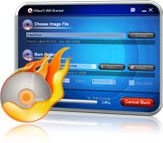
- Burn kinds of image files The ISO burner can burn all image files including not only ISO, but also BIN/CUE, IMG, MDF, NRG, CDI, B5i, B6i, and DMG image files.
- Support all CD/DVD discsYou can burn ISO files to CD-R, CD-RW, DVD-R, DVD+R, DVD-RW, DVD+RW, DVD+R DL, etc.
- High speed promiseXilisoft ISO Burner will burn disc at the highest speed that the burner and disc support to save your time.
- Easy to use Just drag ISO file in, insert a disc, and start to burn ISO files, then you will get the ready CD or DVD.

Disc erasure, data verification
Disc erasure, data verification and flexible settings to assist your ISO burning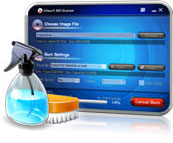
- Erase disc contentIf your inserted RW disc is with data, the DVD ISO burner will prompt you and erase the content if you want.
- Data verification After ISO burn done, provide data verification to compare ultimate disc with the source file to verify if the disc data is complete and correct.
- Burn speed and copy numberAllow you to set the speed to burn ISO files according to your will and specify the number of copies if you want to burn multiple disc copies.

After done action, multiple languages
More practical and smart features are included in Xilisoft ISO burner 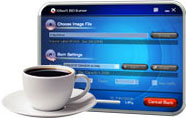
- Show detailed burn processDisplay burn rate of the progress and provide passed and remaining time of the ISO burning for your reference.
- Auto-check for updatesThe DVD ISO burner will check for updates automatically and prompt you of the new version to ensure you own the latest features.
- Set after done action You can choose the after done action before ISO burning, and let the PC execute your preset command after DVD ISO burning finished.
- Multi-language ISO burnerXilisoft ISO Burner provides English, German, Chinese, Japanese languages for you to choose.
| Input File Formats Supported | |
| ISO, NRG, BIN, B5i, B6i, MDF, DMG, CDI | |
| Output File Formats Supported | |
| CD-R, CD-RW DVD-R, DVD+R, DVD-RW, DVD+RW, DVD+R DL |
| OS | Microsoft® Windows 11 / 10 / 8 / 7 / Vista / XP (SP2 or later) |
| Processor | 1GHz Intel/AMD processor or above |
| RAM | 256MB RAM (512MB or above recommended) |
| Free Hard Disk | 30MB space for installation |
| Graphics Card | Super VGA (800×600) resolution, 16-bit graphics card or higher |
| Others | Recordable CD/DVD drive |


