
Xilisoft YouTube Video Converter Tutorial
The guide below will show you how to download videos from www.youtube.com and convert them to other video files suitable for various players and devices with Xilisoft YouTube Video Converter step by step.
This guide is divided into three parts:
Part1: Download YouTube video at one click
Part2: Convert YouTube Downloaded video
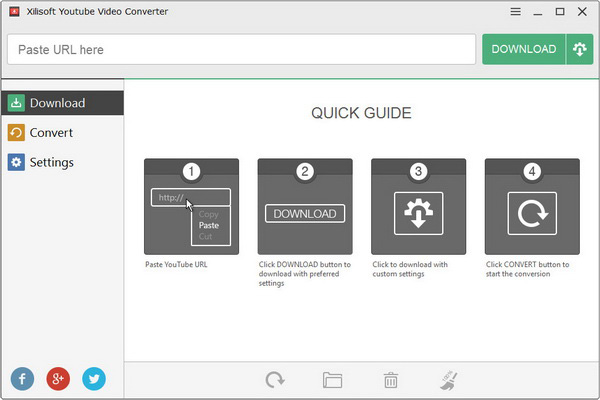
At first, download, install and launch Xilisoft YouTube Video Converter. Below is the first interface after launch.
Part1: Download YouTube video at one click
1. Paste YouTube URL
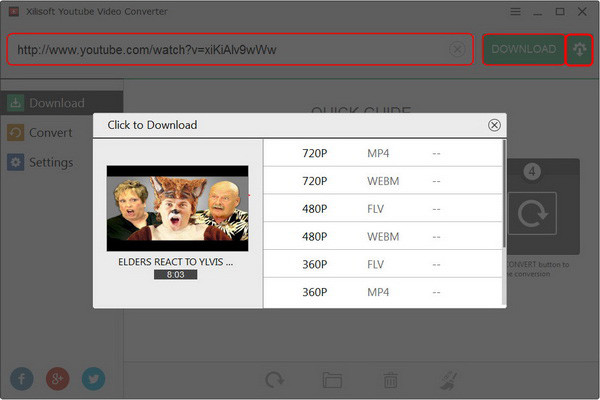
Paste YouTube URL at the top address bar of the main interface, and then click the “Advanced Download Settings” button to choose the preferred video format and resolution.
2. Download
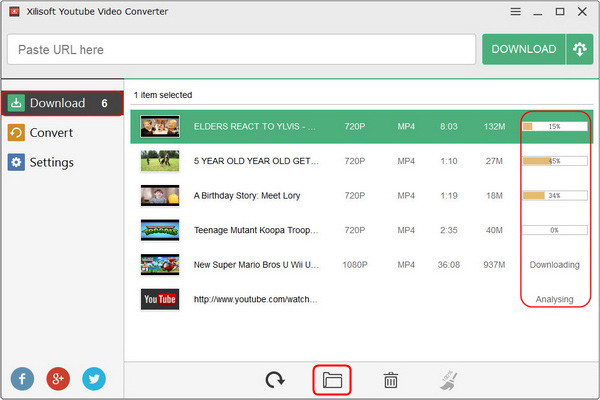
After checking the preferred video format and resolution, please click “DOWNLOAD” button to begin downloading. At the right side of the main interface, you can see the downloading progress.
Tips:
By clicking the “Open Destination Folder” icon at the bottom of the main interface, you can find the downloaded video file.
Part2: Convert YouTube downloaded video
1. Preset video formats for different devices
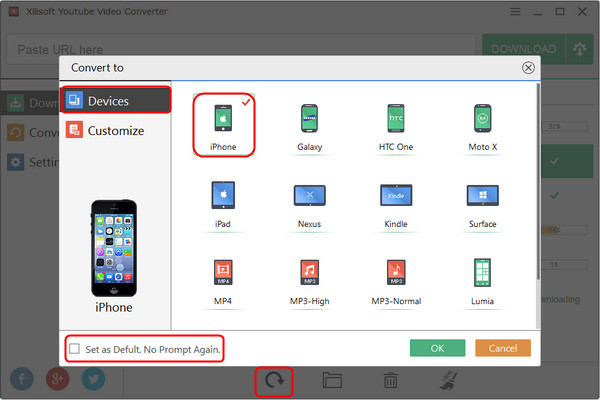
Highlight the downloaded items you want to convert and then click the “Convert” icon at the bottom of the main interface; you can preset different video formats for different devices.

Tips:
You can check the “Set as Default. No Prompt Again”, to save it as your default setting and then click “OK” button.
2. Converter
Click the “Convert” tab at the left side of the main interface, you will the video items that wait for conversion. Highlight the items and then click the “Start” icon to start conversion or click the “Pause” icon to stop it.

Xilisoft YouTube Video Converter can not only help you to convert downloaded YouTube video but also convert local video. The supported video formats are AVI, MPEG, WMV, MP4 PEG-2 TS HD Video (*.ts), Quick Time HD Video (*.mov), and WMV HD Video, etc.
1. Add local videos
Clicking the “Add Video(s)…” icon at the bottom of the main interface to add the local videos from your computer.

2. Begin to convert
Highlight the added video items and then click the “Start” icon to start conversion or click the “Pause” icon to stop it.
Tips:
By clicking the “Open Destination Folder” icon at the bottom of the main interface, you can find the converted video file.
More Applied skills
1. By clicking the “Settings” tab at the left side of the main interface, you can manage all parameters for “DOWNLOAD SETTINGS” and “CONVERSION SETTINGS” easily and quickly.

2. More upgrade functions for your reference and you can also share it by Facebook, Twitter and Google+.


