
Xilisoft PSP Video Converter Tutorial
Referring FAQHow to convert video files using this video converter? The following will show you a step by step guide to complete the conversion task. First, Download, install and run Xilisoft PSP Video Converter.
Step 1: Add File
Click "Add File" button on the toolbar or "File > Add File" to load files.
Step 2: Choose output format
Choose the file, click "Profile" drop-down button to choose the formats you need, then click "Browse" button to choose destination folder for saving output files.

Tip1: Click "Snapshot" button on main interface to take a snapshot when playing the video and save as BMP file.
Tip2: If you want to do more with your video and audio files, please refer to the "More usage skills".
Step 3: Convert
After choosing the format, you only need to click "Convert" button on the toolbar to complete the task.
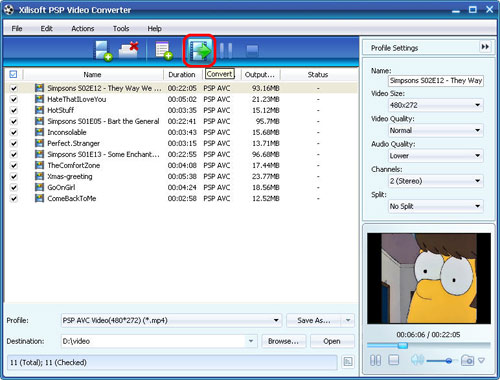
Ok, the above is the easiest function for your conversion. We provide you more abundant skills below!
More usage skills
1. Add multiple profiles for the same video file

2. Customize output file size with Bitrate Calculator

3. Divers parameters for setting


