
How to copy songs from iPod to Mac computer?
Xilisoft iPod Magic for Mac is a smart software for iPod users to copy songs from iPod to computer, and transfer movies, photos, apps, eBooks, contacts, messages, etc between iPod and PC/iTunes. Moreover, it can convert other videos and audios to iPod and download and convert online videos to iPod easily.
Step 1: Download Xilisoft iPod Magic for Mac, install and run it.
Step 2: Connect iPod to your Mac computer with USB cable.
All information about your iPod will be displayed on the main interface.
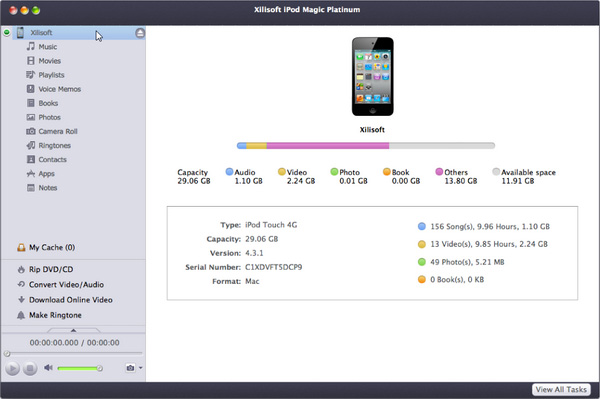
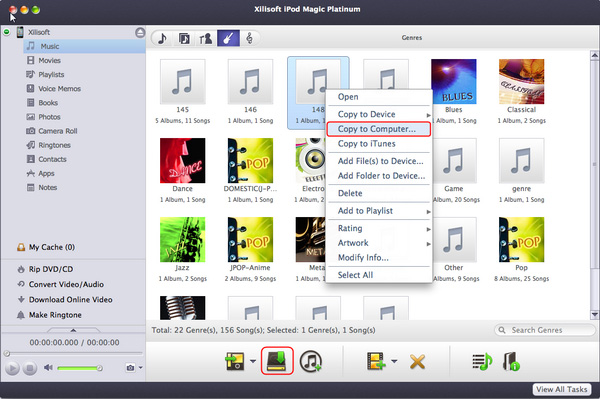
Step 3: Copy songs from iPod to computer.
- Open Audio/Playlist and check songs you want to copy to computer.
- Click "iPod to Mac" button to start copying.
Ok, done.
If you're interested in this program, please visit: Xilisoft iPod Magic for Mac.


